v2.23 kess v2 fw 7.020 ECU programmer

Showing posts with label BMW cable. Show all posts

Thursday, 7 July 2016

How to use E-sys ENET cable to change BMW F series FA (VO)

The following will teach you How to use E-sys ENET cable to change BMW F series FA (VO) step by step.
Tool needed:
BMW ENET Cable
E-SYS software
A laptop running Win XP home

Instructions:
1. First we need to connect to the car
2. Select the target chassis. In our example we will use the BMW F10 chassis
3. Go to “expert mode” -> then “coding”. Click read under vehicle order to read FA from the car. Click edit.
4. The screen will automatically change to the FA-editor. Right-click on FA, and select “calculate FP”.
5. Once finished, vehicle profile is shown on the right side of the screen. Expand the FAList on the left until you see SALAPA-element.
6. Delete or add FA from the bottom left window, and click the apply changes icon.
7. The new FA must be verified before it can be written to car. In order to do this, Right click on FA and calculate FP again. If the FA you entered is wrong, an error dialog will pop up. Anything other than the codes on the VO list will display an error message. After FP is calculated, save the new FA.

8. Go to Expert mode –> VCM. Load your saved FA file, right-click on FA and calculate FP again.
9. Click the VCM tab, and click write FA FP. The new FA will be written to the car but won`t display any message so if you clicked once, no need to click again.
10. Click on “read FA FP VIN” button and check FA to make sure changes are saved to the car.

All done, you have now successfully edited VO.

The post quoted from:http://codingf10.com/

Tuesday, 5 July 2016

Change BMW F10 Werte Values with E-sys ENET cable

BMW E-sys is the best coding software for F-series,Have succeed to change BMW F10 Werte values with ENET E-sys cable,Here is the step-by-step instruction of changing BMW F10 Werte values with ENET E-sys cable,share the experience with you all!

The following detailed description is from BMW Forum.

Tool needed:
BMW ENET (Ethernet to OBD) Interface Cable
E-SYS software version 3.22.5
PSdZ Data V49.4
A laptop running Win XP home

Instructions:
1.Connect the ENET (Ethernet to OBD) cable with vehicle via OBD socket
2.Wait until LAN network adapter in task bar has established limited network capacity
3.Open ZGW-SEARCH.exe
4.Open E-sys software
5.Click the connection icon
6.Select your F series model, selection Connection via VIN and click continue
7.Follow system prompt. Click “Read(VCM)”
8.Select CADF with a green check mark file under the module you want to read, select “Coding Read Data”
9.Close error report windows pops up
10.New option under CADF, a folder. Expand the folder and right click the file, select “EDIT FDL”
11.Browse the folder, you will find your option, for example KOMFORTSCHLIESSUNG-FB
12.Factory option set to nicht-active. Right click, select “Edit”
13.Then click werte value, click “Edit”
14.The option to change the value in the lower window. Change current value with new, click the button on the right
15.Change werte value==00 to werte value==FF, save settings
16.Open same file under “File Name”. It shows file name and location
17.The E-SYS software display new value name and werte value
18.Save settings
19.Right click FA, select “Activate FA”
20.Select CAFD file you just edited and select “CODE DFL”
21.When DFL coding completed. Close the error report windows.
22.Werte value changing procedure now is completed.
23.Exit the BMW E-sys software and disconnect the ENET interface from vehicle.

Tuesday, 22 December 2015

BMW ICOM A2 Emulator, or INPA K+DCAN cable?

One BMW car for one ICOM? NO! Many fresh BMW owners are new to vehicle diagnosis and have incorrect opinions that ICOM is the most ideal scanner. Here are some suggestion for some new to BMW repair.
If you just want to scan for faults, clear them and do diagnostics and maybe some light coding you don't need an ICOM. A K+DCAN cable is good enough with either BMW Standard Tools or BMW Rheingold. But this is mainly for cars from 1998 to 2008, some new cars also.
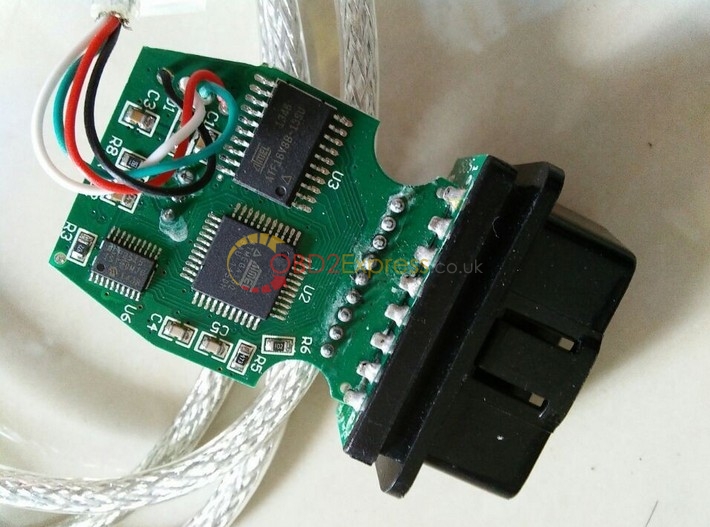
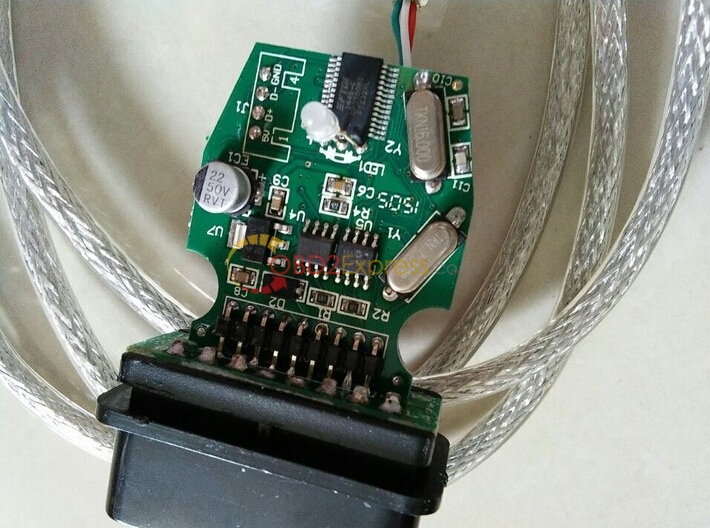
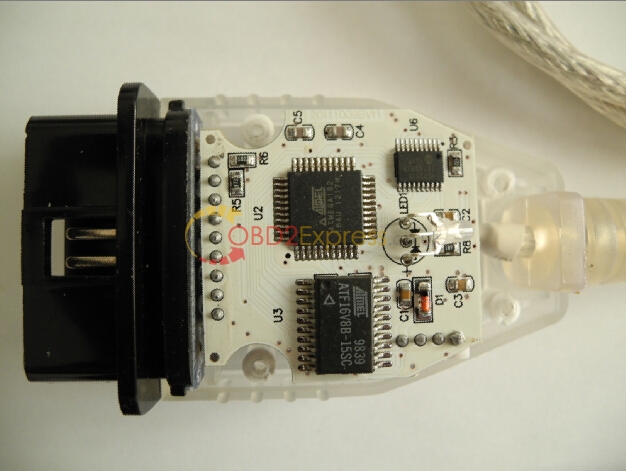
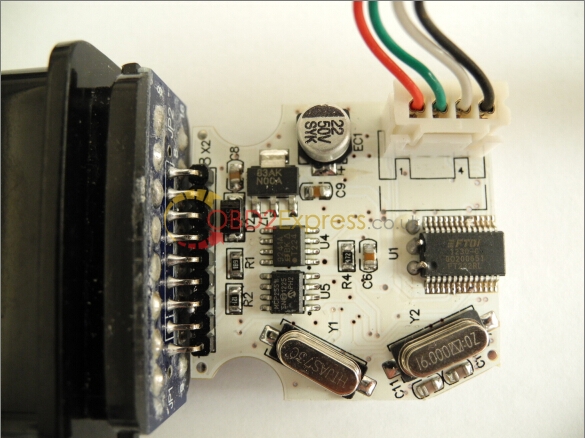
Good K+Dcan inpa cables: (click the pic for more detail)
http://www.obdexpress.co.uk/wholesale/bmw-inpa-k-can-obd2express.html
K+DCAN cable-pcb board--1 K+DCAN cable-pcb board--2
Bad K+Dcan cable:
Dead On Arrival-side-3 Dead On Arrival-side-4
RHEINGOLD is ISTA-D and runs natively on windows with K+DCAN interface. It's very good dealer diagnostic software. Pretty much does every function you'd ever need.
ICOM emulator is really needed when updating software on the vehicle where a stable and reliable connection is required over several hours. Almost all BMW cars are listed in, both old and new.
BMW ICOM A2+B+C scanner:
http://www.obdexpress.co.uk/wholesale/wifi-bmw-icom-a2-b-c-diagnostic-programming-tool.html
BMW ICOM A2+B+C scanner-5
bmw-icom-a2-b-c-pcb-board-6
bmw-icom-a2-b-c-pcb-board-7
ICOM A2 -PCB BOARD-8
ICOM A2 -PCB BOARD-9