v2.23 kess v2 fw 7.020 ECU programmer

Showing posts with label bmw icom. Show all posts

Wednesday, 12 April 2017

BMW E-Sys 3.28.1 Download Free & Install on Windows XP

Free download BMW E-Sys v3.28.1 Psdzdata Lite v3.61.1 on Mega: NO Pass

E-Sys 3.28.1 is the newest version, but not tested by professionals yet. You may try on your own risk when using ver. 3.28.1.

Download E-sys software v3.23.4: 100% Tested & Working Perfectly
Coding no issues for BMW F series with an ENET cable

How to install E-Sys 3.28.1 Psdzdata 3.61.1 on Windows XP?

1     You must uninstall the existing E-SYS version before installing new E-SYS 3.28.1. After installing tested it with Launcher 2.7.0 and it works.
2     E-SYS Launcher Premium V2.7.0 Build 132(require NET Framework 4.5.2 or later)
3     E-SYS Launcher Premium V2.7.0info
Added cheat code selection
Change Code Default Values button name to DO NOT USE!!! (VERWENDEN SIE KEINE!!!)


How to install BMW E-sys 3.28?

Run E-Sys_Setup_3_26_1_b42487.exe
Select language, click “Next” then “I accept the agreement” then “Next”.
Click “Browse” to choose where to install E-Sys. The default location is C:\EC-Apps\ESG\E-Sys.
download-bmw-e-sys-3-28-1-1

Set the data path for E-Sys, the default is C:\Data.
download-bmw-e-sys-3-28-1-2

Click next until the installation begins.
download-bmw-e-sys-3-28-1-3

Click “Finish” to complete the basic installation procedure for E-sys.
Then you need to make it work.
You will see two folders, one is a “Patch” the other is “Token Generator”.
download-bmw-e-sys-3-28-1-4

The patch folder contains 2 files
download-bmw-e-sys-3-28-1-5

Copy the svc0x80.jar file to the lib directory (C: /EC-Apps/ESG/E-Sys/lib)
Place the E-Sys.bat (batch file) in the same directory as the .exe file. Replace the .bat file in that directory (C: /EC-Apps/ESG/E-Sys)
Use the Token Software, enter a username as you like and password.


How to install Psdzdata?

This is an important and final step of the installation process. The E-Sys installation doesn’t contain any data so you must copy the data into the right folder.

It’s recommended to use the Psdzdata “Lite” version because it has all the Firmware data removed so it saves a lot of space!

Extract Psdzdata using Winrar. Right click it and click “extract here”.

After that go to C:\Data and erase the existing “Psdzdata” folder and copy this extracted new one in the same location.


What can you do with bmw esys enet for bmw coding?
Programming = Flashing a module, which means changing the actual software. Best done with a BMW ICOM emulator.
Coding = Reading and writing the memory which contains the configuration. Can be done with an ENET cable.

With bmw enet esys, you can hide modules or code a module

  1. Lock unlock sound confirmation ( to prevent radio interference, add sound to confirm car locked when turn light confirmation inconvenient. This is setup in cic)
  2. Can operate the navigation menu including watching dvd when driving( for driving safety. Let the side driver operate the navigation menu )
  3. Display engine output and torque meter ( purely fun, look engine output )
  4. Cancel confirmation screen big screen boot delay
  5. Open the voice recognition function
  6. Three kind of bluetooth phone ringtones ( personality only )
  7. Increasing the cic memory address to 50
  8. The glass automatically rise to the top process is not terminated by the car door ( easy to get off to close the window waiting )
  9. The digital speed display ( fun only )
  10. Air-conditioned memory of the last off state ( without air conditioning season is more convenient )
  11. Indoor cycling memories of the last time the state when engine off
  12. A-pillar electric tailgate buttons and remote control a key to close the power tailgate. At any time terminate the reverse operation ( turn off 15 minutes or more reset )
  13. Increasing shift paddles
  14. The small screen to the large-screen display modify
  15. Pdc display vertical and horizontal
  16. Disable the seat belt status display – passenger seat
  17. Disable the seat belt status display – driver seat
  18. Disable seat belt reminder mistake ! The link is invalid. Device – passenger seat
  19. Disable seat belt reminder – driving position
  20. Disabled unfasten their seat belts voice prompts – passenger seat
  21. Disabled unfasten their seat belts voice prompts – driving position
  22. Intersection vehicle high beam automatic control ( no condition tested. Do not know if it is valid )
  23. Angel eyes open and cancel functions
24 turn off the engine start-stop function turned on by default
25, gps time synchronization
  1. Foot open the back cover
  2. Ds show s1-s7 selection
  3. Active sports gearbox program sport +
  4. Single microphone settings
  5. Engine off automatically unlock
  6. Internet applications
  7. Armrest usb playback video
  8. The maximum distance disable front camera view
  9. The maximum distance to disable the rear camera view
  10. Maximum speed disable front camera view
  11. The maximum speed to disable the rear camera view

Sunday, 4 December 2016

How to build a Power Supply for BMW ICOM

Best way “I” would build a power supply for icom bmw, buy OBDII Extention, Go to your local salvage place and buy BMW OBDII+20 Pin plug+wires(cut)
Then buy power plugs (male and female) from your local electric store and DIY your final product to this forum how much it cost you at the end

BMW ICOM A2 OBD+20pin cable


Icom 20pin to 16pin cable

16pin J1962 obd2 car proprietary connector at bmw


used in all BMW models produced after 2000’s

PINSignalDescription
pin 1+12vignition (in run or start)
pin 4CGNDchassis ground
pin 5SGNDsignal ground
pin 7ISO 9141-2 K-lineengine (iso-914 ans iso-14230), automatic transmission diagnostic (in some models)
pin 8ISO 9141-2 K-lineike/kombi, abs, abs/asr, abs/abd, esp, dsc, airbag and other diagnostic equipment
pin 9TD/RPMengine rotation speed
pin 15ISO 9141-2 K-linek-line of iso 9141-2 and iso 14230-4
pin 16+12vbattery power

Pinout status: +0 / -0

20pin car proprietary connector at the car side


used in all BMW models in 1988-2000’s
PINSignalDescription
pin 1engine rotation speedTD
pin 2OBDII diagnostic
pin 7oil service and inspection reset
pin 11external starter turn on
pin 14battery power
pin 15ISO 9141-2 L lineRXD- Diagnostic data link
pin 16ignition +12v
pin 17USI 8141-2 k linen/c?
pin 18PGSP Programming line
pin 19GND
pin 20ISO 9141-2 K lineTXD- Diagnostic data link

Pinout status: +6 / -1

Thursday, 22 September 2016

BMW E46 ALSZ Module light coding in NCS Expert

These are the coding options available for coding the ALSZ module of the BMW e46, using ICOM A2 with NCS Expert. Hopefully it’s helpful for someone else.

  • HEIMLEUCHTEN : home lights activated by flashing high beam with key off
  • HEIMLEUCHTEN_ABBRUCH : home light stop
  • HEIMLEUCHTEN_AL :home lights are low beam
  • HEIMLEUCHTEN_BL : ” ” ” turn signals
  • HEIMLEUCHTEN_FL : ” ” ” high beam
  • HEIMLEUCHTEN_FUNKSCHL :lights on on closing car with remote (only on e39 )
  • HEIMLEUCHTEN_KL58G : home lights are interior backlighting, cluster, ashtray etc.
  • HEIMLEUCHTEN_KZL : ” ” ” license plate
  • HEIMLEUCHTEN_NSL : ” ” ” rear foglight
  • HEIMLEUCHTEN_NSW : ” ” ” front foglight
  • HEIMLEUCHTEN_RFS : ” ” ” reverse light
  • HEIMLEUCHTEN_SL_H :” ” ” rear parking lights
  • HEIMLEUCHTEN_SL_V :” ” ” forward parking lights
  • FL_UND_NSW_NICHT_GLEICHZ : high beam & fog lights come on together when nicht_aktiv (I haven’t got this working yet)
http://blog.obdexpress.co.uk/2016/09/22/bmw-e46-alsz-module-light-coding-in-ncs-expert/

Wednesday, 23 March 2016

How to choose BMW Diagnostic tool for E9x/E82, ISTA D/P, INPA, DIS?

There are many BMW diagnostic tools in the market, like ICOM A2 with ISTA D/P, K+DCAN cable with INPA, and OPS with DIS or SSS. This is about how to choose a proper BMW diagnostic & programming tool for E9x / E82 chassis.


Model:
2011 E9x / E82 chassis

Optional interface:
INPA with K+DCAN cable
ISTA D ISTA-P with ICOM A2 + B+ C emulator
DIS & SSS v41 with BMW OPS

Purpose:
program/reset steering angle sensors, adaptation

Suggestion of diagnostic and programming tool for 2011 E9x / E82:
DIS and SSS are massively outdated, replaced in 2008 with ISTA.

You can "technically" hack up SSS to support newer vehicles, but that's a massive gamble.

If you want the proper tools for diagnostics, you can use a K+DCAN cable with INPA and ISTA/D rather easily. It does well in reading & deleting errors, adaptations, driver programming, applu coding, etc.

Programming is another game, you can program basic modules like the DME, etc. But anything on the MOST (fibre optic bus) like the navigation system, etc. you really want an ICOM A+B along with ISTA/P and a good stable power supply, otherwise you risk seriously screwing up your car by bricking ECUs.

NOTE: BMW ICOM A2 Emulator, or INPA K+DCAN cable? (click to get it)

Wednesday, 16 March 2016

2016.2 ISTA+ ICOM A2 ISTA-D 3.53 ISTA-P 3.57

2016.2 BMW ICOM A/ A2 Rheingold is released with STA-D 3.53.30 ISTA-P 3.57.4.003 without USB dongle supporting engineer programming and working well on the newest BMW G series vehicles, and also, in this version, ISTA+ is added.
Operating system:
Windows 8

Workable tool:
ICOM A
ICOM A2 emulator

New information:
Support BMW G series
Add new software ISTA+

Optional languages
Diagnose and programming: Multi-language
TIS diagram circuit:  Chinese, English and German
2016.02 BMW software display
ISTA+ news (newly added in ICOM software)
ISTA version 3.53 - contents, notes, diagnosis
ISTA version 3.53 - new contents for repair literature
ISTA version 3.53 - contents, notes, non-electrical diagnosis (NED)
ISTA usage notes
ISTA-D 3.53.30.15828 subsystem version
E-sys 3.26.1
- Engineer Software for F series (available for programming and coding)
ETK 3.1.20
EPC information
Cd version: 2/2016
Database version: ETK 3.1.20
Data from 20.01.2016
ICOM Configuration Manager
Device information
Device: ICOM FW: 03.14.03
Mode: ISPI-NEXT
Device configuration
WLAN setting
ITOOL RADAR
- Used to recognize ICOM, activate or release ICOM Port
ISTA/P 3.57.4.003
- Diagnostic and repair guide, including Diagrams and disassembly Figure

ISTA/P ISPI-NEXT information
- Programming and coding software system

KSD2
- Work software

Tuesday, 22 December 2015

BMW ICOM A2 Emulator, or INPA K+DCAN cable?

One BMW car for one ICOM? NO! Many fresh BMW owners are new to vehicle diagnosis and have incorrect opinions that ICOM is the most ideal scanner. Here are some suggestion for some new to BMW repair.
If you just want to scan for faults, clear them and do diagnostics and maybe some light coding you don't need an ICOM. A K+DCAN cable is good enough with either BMW Standard Tools or BMW Rheingold. But this is mainly for cars from 1998 to 2008, some new cars also.
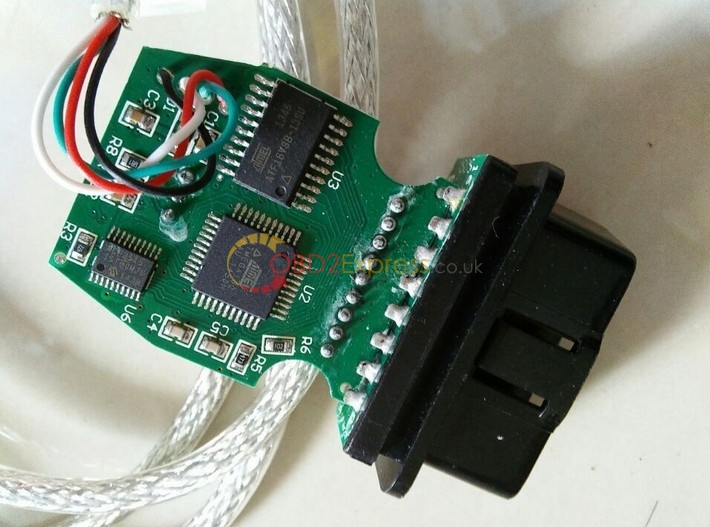
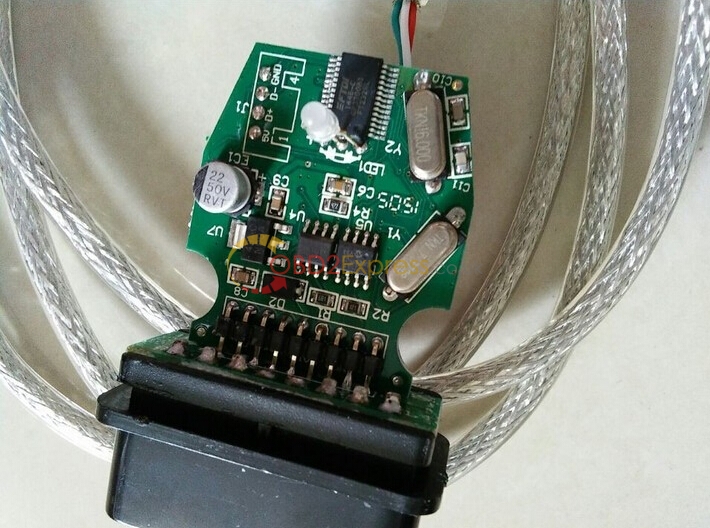
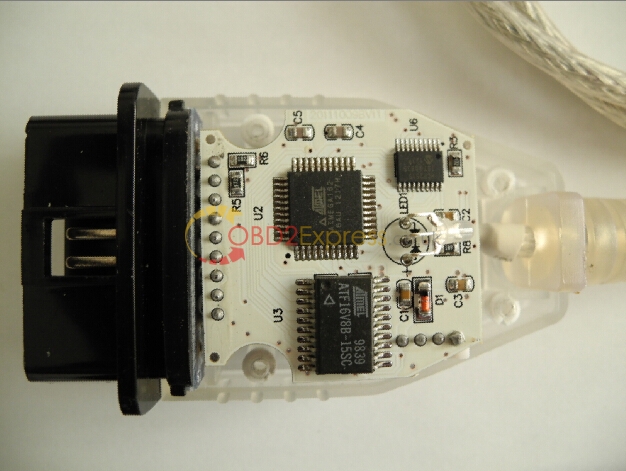
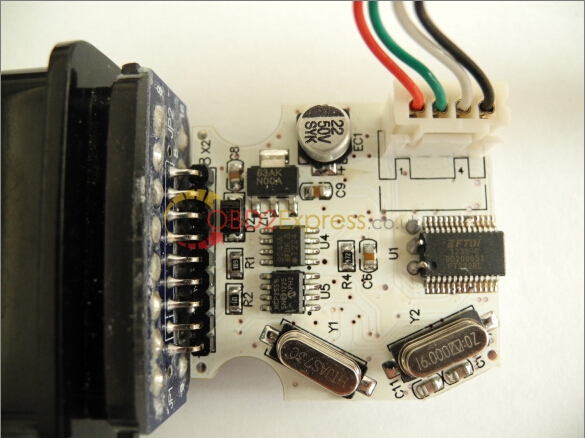
Good K+Dcan inpa cables: (click the pic for more detail)
http://www.obdexpress.co.uk/wholesale/bmw-inpa-k-can-obd2express.html
K+DCAN cable-pcb board--1 K+DCAN cable-pcb board--2
Bad K+Dcan cable:
Dead On Arrival-side-3 Dead On Arrival-side-4
RHEINGOLD is ISTA-D and runs natively on windows with K+DCAN interface. It's very good dealer diagnostic software. Pretty much does every function you'd ever need.
ICOM emulator is really needed when updating software on the vehicle where a stable and reliable connection is required over several hours. Almost all BMW cars are listed in, both old and new.
BMW ICOM A2+B+C scanner:
http://www.obdexpress.co.uk/wholesale/wifi-bmw-icom-a2-b-c-diagnostic-programming-tool.html
BMW ICOM A2+B+C scanner-5
bmw-icom-a2-b-c-pcb-board-6
bmw-icom-a2-b-c-pcb-board-7
ICOM A2 -PCB BOARD-8
ICOM A2 -PCB BOARD-9